Singapore Passport Photo Size: 35 × 45 mm (400 × 514 Pixels for ICA Uploads)
Official rules: 35 × 45 mm, 400 × 514 px, up to 8 MB, background: plain white (light grey if your hair is white). Source: ica.gov.sg, checked 28 Sep 2026.
Official rules: 35 × 45 mm, 400 × 514 px, up to 8 MB, background: plain white (light grey if your hair is white). Source: ica.gov.sg, checked 28 Sep 2026.
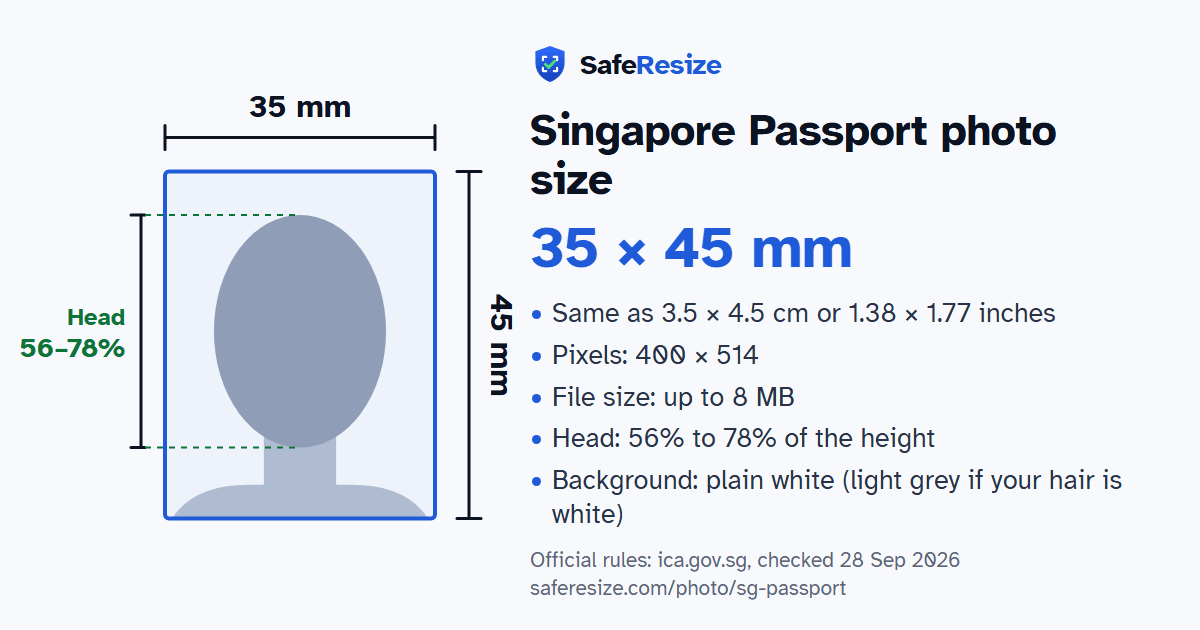
The Singapore Passport photo is 35 × 45 mm, 400 × 514 pixels, uploaded as a JPG, PNG, HEIC or HEIF file up to 8 MB.
| Printed size | 35 × 45 mm |
|---|---|
| In other units (a conversion) | 35 × 45 mm · 3.5 × 4.5 cm · 1.38 × 1.77 in · 413 × 531 px at 300 DPI · 827 × 1063 px at 600 DPI · ratio 7:9 |
| Pixels (official rule) | 400 × 514 pixels for online uploads |
| File size | Up to 8 MB |
| Background | Plain white (light grey if your hair is white) |
| Head size | 56% to 78% of the photo height, chin to top of head |
| Source | ica.gov.sg |
| Checked | 28 Sep 2026 |
Singapore citizens apply for a passport on MyICA with Singpass: for a first one, a renewal, or one that is running out of pages, lost or damaged. Citizens living abroad may instead hand the IMM(E)11 form, with a printed photo pasted on, to a Singapore Overseas Mission. The fee is S$70 online and S$80 at a counter, and a newborn's first passport is free if applied for on MyICA by the first birthday. Local processing takes one to two weeks, or up to four when the photo falls short.
ICA bases its photo standard on ISO and ICAO specifications and wants a colour picture taken within the last three months. Its dos and don'ts ask for even brightness, a white background, shoulders and hair fully in view, and eyes looking at the camera. Headgear must be dark against the white, and the overseas form allows it only for religious or racial custom. Coloured contact lenses, red eye, flipped or distorted images and changes made with software or an app are ruled out. Prints need a matte or semi-matte finish. ICA advises against selfies and will notify you if it rejects your photo.
Sources, checked 24 Oct 2026: Photo guidelines (ICA), Apply for passport (ICA), Singapore passport application form submitted overseas, IMM(E)11 (ICA, Sep 2026) and Singaporeans with year-end travel plans are advised to apply for passports now (ICA media release, 18 Aug 2022).
The photo is 35 × 45 mm. Official pixel rule: 400 × 514 pixels for online uploads. SafeResize makes a 400 × 514 pixel file that meets it.
35 × 45 mm is 3.5 × 4.5 cm or 1.38 × 1.77 inches, in a 7:9 shape. Printed at 300 DPI it is 413 × 531 pixels, and at 600 DPI 827 × 1063 pixels. These are conversions of the official size, not extra rules. For the upload, the official pixel rule is: 400 × 514 pixels for online uploads.
Up to 8 MB. SafeResize checks the size before you download, and keeps it inside the limit whether the website counts 1 KB as 1,000 or 1,024 bytes.
Plain white (light grey if your hair is white). Stand in front of a plain wall with no pattern, and face a window so there are no shadows behind you. The official rules do not allow edited photos, so SafeResize does not change the background for this document: a plain wall is the way.
From the chin to the top of the head, your head should fill 56% to 78% of the photo height. The face guide in the tool shows both lines.
The official rules say: Glasses OK if frames don't cover the eyes and there is no glare; no tinted glasses.
ICA's notice of 18 August 2022 names common reasons: a background that is not white, a laterally inverted image, and a photo that is not current. Uneven brightness, shadows on the face and glare on spectacles may also be rejected, because they leave patches on the facial image laser-engraved in the passport. You then submit a new photo, and local processing can take up to four weeks.
ICA does not recommend selfies, because the result is usually not ideal and delays the application, and it suggests asking someone else to take the picture with your phone. It recommends apps made for passport photos and allows resizing on a computer, but the photo must not be altered or enhanced in any way.
Yes, if you habitually wear it for your religious or racial custom: ICA's overseas application form allows only such headgear, and not in white. Its dos and don'ts add that headgear must be dark against the white background and must leave the eyes fully visible.
Colour photo, taken in the last 3 months. Full face, head straight, eyes open, neutral expression, mouth closed, top of shoulders showing. Head 25–35 mm from chin to top of head. Glasses OK if frames don't cover the eyes and there is no glare; no tinted glasses. Religious headgear must not be white. No editing; avoid selfies.
JPG, PNG, HEIC or HEIF. SafeResize saves a JPG (JPEG) file.
Yes. A photo taken at home is fine if it follows the rules above. It is easier if someone else takes it for you.
No. The photo is processed inside your browser and never leaves your phone or computer.
Source: ica.gov.sg, checked 28 Sep 2026. Rules can change, so confirm on the official page before you apply.