US Visa Photo Size: 600 × 600 to 1200 × 1200 Pixels (DS-160)
Official rules: 600 × 600 to 1200 × 1200 px, up to 240 KB, background: plain white or off-white. Source: travel.state.gov, checked 28 Sep 2026.
Official rules: 600 × 600 to 1200 × 1200 px, up to 240 KB, background: plain white or off-white. Source: travel.state.gov, checked 28 Sep 2026.
The US Visa photo is 600 × 600 to 1200 × 1200 pixels, uploaded as a JPEG file up to 240 KB, on a plain white or off-white background.
| Printed size | No print size given |
|---|---|
| Pixels (official rule) | Square, 600 × 600 to 1200 × 1200 pixels, colour, compression 20:1 or less |
| File size | Up to 240 KB |
| Background | Plain white or off-white |
| Head size | 50% to 69% of the photo height, chin to top of head |
| Source | travel.state.gov |
| Checked | 28 Sep 2026 |
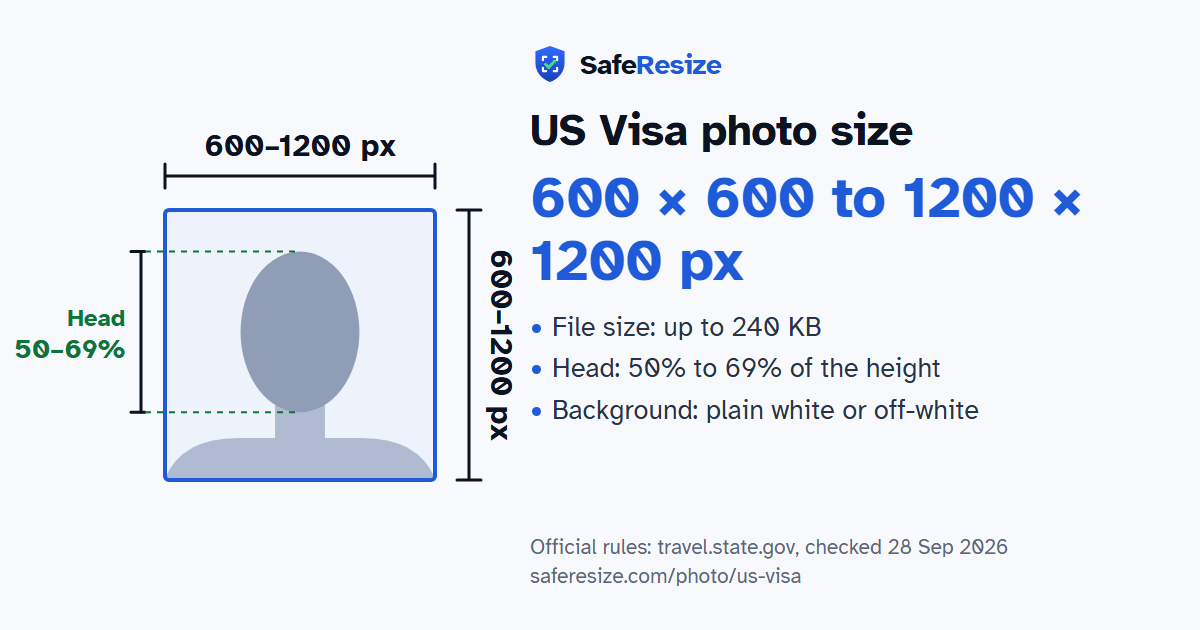
This photo is for a US nonimmigrant visa, applied for with the online Form DS-160. You upload it while you fill in the form. For official and diplomatic travellers, the US Embassy in India says that if the upload fails, they must bring one printed photo in the required format. The US Embassy in Poland says that the DS-160 accepting your photo does not mean the consulate can use it, and suggests bringing a printed photo that meets the rules to your interview anyway.
The Poland embassy lists these rules: a colour photo from the last 6 months, taken full face against a plain white or off-white background, with a neutral expression and both eyes open. From chin to top of head, your head should be 1 to 1 3/8 inches (25 to 35 mm), or 50% to 69% of the image height. Eyeglasses are not allowed in new visa photos. A hat or head covering that hides your hair or hairline is allowed only if you wear it daily for religious reasons, with your full face visible and no shadow on it.
Sources, checked 21 Oct 2026: Apply for a Nonimmigrant Visa (U.S. Embassy in India), Visa Photo Requirements (U.S. Embassy in Poland), Student Visa (U.S. Visa Wizard), Temporary Worker Visas (U.S. Visa Wizard), Exchange Visitor Visa (U.S. Visa Wizard), General information (U.S. visa appointments in India), Complete your application (U.S. visa appointments in India), Applying for a visa (U.S. Embassy London), Paying the I-901 SEVIS fee (Study in the States), Instructions for Form I-129 (USCIS) and Photo Requirements (travel.state.gov).
Official pixel rule: Square, 600 × 600 to 1200 × 1200 pixels, colour, compression 20:1 or less. SafeResize makes a 600 × 600 pixel file that meets it.
The official rule is in pixels: Square, 600 × 600 to 1200 × 1200 pixels, colour, compression 20:1 or less. It gives no size in inches or cm.
Up to 240 KB. SafeResize checks the size before you download, and keeps it inside the limit whether the website counts 1 KB as 1,000 or 1,024 bytes.
Plain white or off-white. Stand in front of a plain wall with no pattern, and face a window so there are no shadows behind you. The official rules do not allow edited photos, so SafeResize does not change the background for this document: a plain wall is the way.
From the chin to the top of the head, your head should fill 50% to 69% of the photo height. The face guide in the tool shows both lines.
The official rules say: No glasses unless medically needed.
No. The State Department's instructions for student (F and M), exchange (J) and temporary worker visas, including H-1B, L and O, all say you upload your photo while completing the online Form DS-160, as for a B1/B2 visitor visa. So the same rules apply: a square JPEG of 600 × 600 to 1200 × 1200 pixels, up to 240 KB.
None of the official instructions we checked asks for one. The photo goes in your DS-160. Your school issues the I-20, and your program sponsor the DS-2019. The SEVIS fee form asks for details such as your name and SEVIS ID. The instructions for Form I-129, which an H-1B employer files, do not ask for photographs.
Yes. You upload a photo in your DS-160, and the US visa appointment service in India says fingerprints and digital photographs are also collected at your Visa Application Center appointment. Applicants under 14 or over 79 do not go to the Visa Application Center, but they must still go to the interview in person. For a child under 14, a parent or guardian can bring the child's documents to the Visa Application Center with one printed photo that meets the US visa rules.
It depends on the embassy. The State Department's instructions say that if the photo upload fails, you must bring one printed photo. Some embassies ask everyone for one: the US Embassy in London asks for a 5 × 5 cm (2 × 2 inch) photo, and the US Embassy in Poland recommends bringing one.
Yes. The US visa appointment pages say each applicant, including children, must have their own Form DS-160, and the photo is part of that form. The State Department says no other person should be in a baby's photo, and the baby should look at the camera with eyes open.
No. The State Department says visa photos must not be digitally enhanced or altered to change your appearance, and the US Embassy in London says AI-generated content is not permitted. SafeResize only crops and resizes this photo; it does not change the background.
Taken in the last 6 months. No glasses unless medically needed. Neutral face, both eyes open. No hat or head covering unless worn daily for religion. No headphones (a hearing device you normally wear is fine). No digital editing. The compression must be 20:1 or less, so at 600 × 600 pixels the file should be about 53 KB or more (our estimate). Some embassies also want one printed 2 × 2 inch photo at the interview.
JPEG. SafeResize saves a JPG (JPEG) file.
Yes. A photo taken at home is fine if it follows the rules above. It is easier if someone else takes it for you.
No. The photo is processed inside your browser and never leaves your phone or computer.
Source: travel.state.gov, checked 28 Sep 2026. Rules can change, so confirm on the official page before you apply.