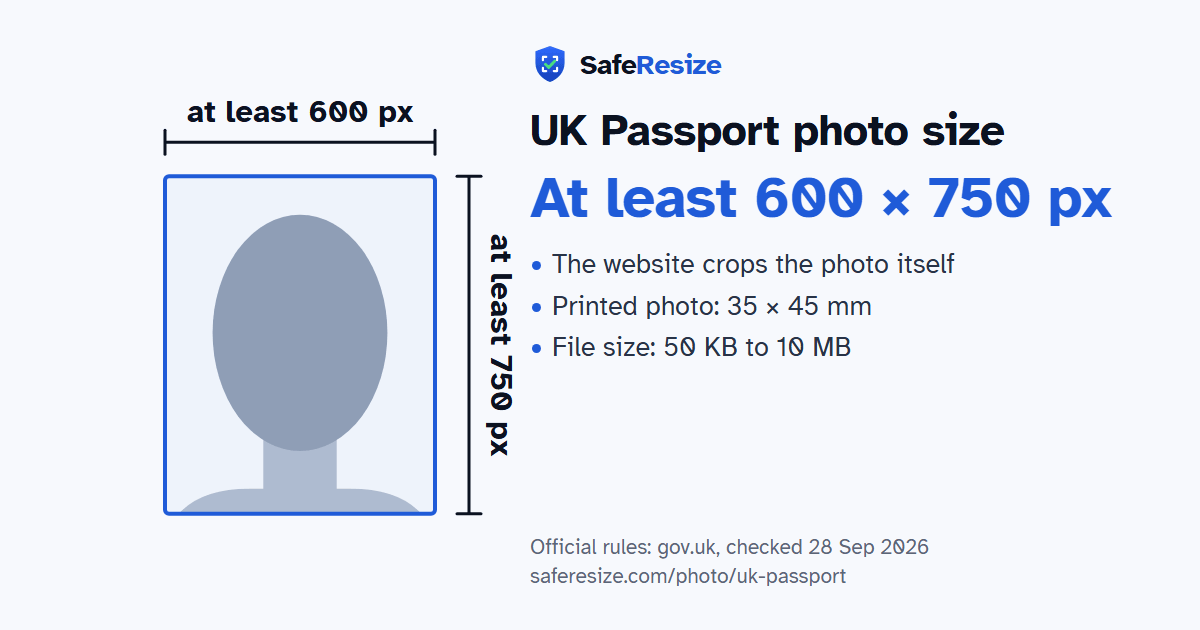
The UK Passport photo, drawn to its shape: at least 600 × 750 pixels. From the official rules (gov.uk, checked 28 Sep 2026).
What the official pages say about the UK Passport photo
This is the digital photo for a UK passport applied for online. You need a new photo for each new passport, even if you look the same, and it must have been taken in the last month. GOV.UK gives two ways to get one. A photo booth or shop can give you a code, which you enter during the application. Or someone helps you take a photo with your own device during the application. Photos from a booth or shop are more likely to be approved.
With your own device, include your head, shoulders and upper body, and do not crop the photo, because that is done for you. Avoid glasses unless you have to wear them. Sunglasses and tinted lenses are never allowed, and frames, glare or shadows must not cover your eyes. A head covering is allowed only for religious or medical reasons. Children must be alone in the photo, and babies must not hold toys or use dummies. Under-6s need not look straight at the camera, and a baby under one can lie on a plain light-coloured sheet, photographed from above. A photo that breaks the rules delays your application.
Stand about an arm's length from the camera in front of a plain wall (plain light colour, clear contrast (prints: cream or light grey)). Face a window for soft, even light.
Add the photo on this page. It stays on your device.
Check that the photo shows your head, shoulders and upper body. Do not crop it: the official website does that.
Download the photo. The pixels, file size and format are checked before you save it.
Upload it to the official application.
Questions and answers
What size is the UK Passport photo?
The photo is 35 × 45 mm. Official pixel rule: At least 600 × 750 pixels; no maximum or fixed shape. The website crops the photo itself, so SafeResize keeps your whole photo and only makes sure it is big enough and within the file size.
What is the UK Passport photo size in cm, inches and pixels?
35 × 45 mm is 3.5 × 4.5 cm or 1.38 × 1.77 inches, in a 7:9 shape. Printed at 300 DPI it is 413 × 531 pixels, and at 600 DPI 827 × 1063 pixels. These are conversions of the official size, not extra rules. For the upload, the official pixel rule is: At least 600 × 750 pixels; no maximum or fixed shape.
What file size does the UK Passport photo need to be?
Between 50 KB and 10 MB. SafeResize checks the size before you download, and keeps it inside the limit whether the website counts 1 KB as 1,000 or 1,024 bytes.
What background colour does the UK Passport photo need?
Plain light colour, clear contrast (prints: cream or light grey). Stand in front of a plain wall with no pattern, and face a window so there are no shadows behind you. The official rules do not allow edited photos, so SafeResize does not change the background for this document: a plain wall is the way.
Should I crop the photo around my face?
No. The official website crops the photo itself. Keep your head, shoulders and upper body in the photo, with space around your head.
Can I wear glasses in my UK Passport photo?
The official rules say: Glasses only if needed, never tinted, no glare.
What else do the UK Passport photo rules say?
Taken in the last month, in colour, not edited. Neutral face, mouth closed, eyes visible. Glasses only if needed, never tinted, no glare. Head covering only for religious or medical reasons. Using your own phone or camera? Ask someone else to take it, showing head, shoulders and upper body. Don't crop it; the website does.
Which file format should I use?
Not stated (JPEG is safest). SafeResize saves a JPG (JPEG) file.
Can I take this photo at home?
Yes. A photo taken at home is fine if it follows the rules above. It is easier if someone else takes it for you.
Is my photo uploaded to SafeResize?
No. The photo is processed inside your browser and never leaves your phone or computer.
Source: gov.uk, checked 28 Sep 2026. Rules can change, so confirm on the official page before you apply.
More tools for this photo
Check my filetest your file against these rules before you upload it