Irish Passport Photo Size: At Least 715 × 951 Pixels (Passport Online)
Official rules: at least 715 × 951 px, not cropped, up to 9 MB, background: plain light grey, white or cream, good contrast. Source: ireland.ie, checked 24 Oct 2026.
Official rules: at least 715 × 951 px, not cropped, up to 9 MB, background: plain light grey, white or cream, good contrast. Source: ireland.ie, checked 24 Oct 2026.
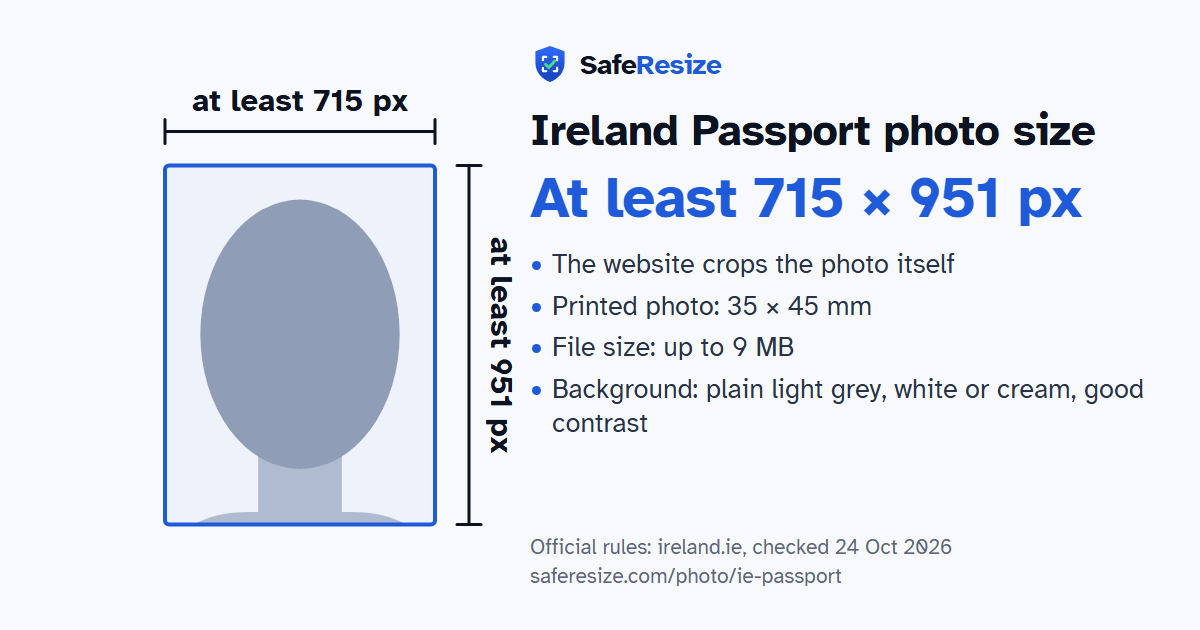
The Ireland Passport photo is a digital photo of at least 715 × 951 pixels that the website crops itself, uploaded as a JPEG file up to 9 MB.
| Printed size | 35 × 45 mm |
|---|---|
| In other units (a conversion) | 35 × 45 mm · 3.5 × 4.5 cm · 1.38 × 1.77 in · 413 × 531 px at 300 DPI · 827 × 1063 px at 600 DPI · ratio 7:9 |
| Pixels (official rule) | At least 715 × 951 pixels; no maximum stated |
| File size | Up to 9 MB |
| Background | Plain light grey, white or cream, good contrast |
| Head size | Set by the website when it crops your photo |
| Source | ireland.ie |
| Checked | 24 Oct 2026 |
Passport Online lets Irish citizens apply for a passport book or passport card on a phone, tablet or computer. The digital photo can come three ways: someone takes it for you at home, a photo shop emails it or saves it on a USB key, or a participating Photo Me booth or IDstation.online in-store service gives you a code that adds it to your application. Selfies, the zoom function and scans of paper prints are not allowed. Poor quality pictures are the main reason the Passport Service rejects applications.
Staff review the image once the online system accepts it, and contact you if it falls short. Your passport shows it in black and white, but you must submit it in colour. Frame yourself from head to mid torso, leaving space around head and shoulders, and do not smile. Uniforms and insignia are not permitted, and head coverings need a religious or medical reason. A baby who cannot support themselves lies on a plain white surface, with no soother and no helping hands in view. For a child up to 36 months, the site may prompt you to frame the face with a cropping tool.
Sources, checked 24 Oct 2026: Photo guidelines (Passport Service, ireland.ie), Passport FAQs (Passport Service, ireland.ie) and Renew or replace your adult passport (Passport Service, ireland.ie).
The photo is 35 × 45 mm. Official pixel rule: At least 715 × 951 pixels; no maximum stated. The website crops the photo itself, so SafeResize keeps your whole photo and only makes sure it is big enough and within the file size.
35 × 45 mm is 3.5 × 4.5 cm or 1.38 × 1.77 inches, in a 7:9 shape. Printed at 300 DPI it is 413 × 531 pixels, and at 600 DPI 827 × 1063 pixels. These are conversions of the official size, not extra rules. For the upload, the official pixel rule is: At least 715 × 951 pixels; no maximum stated.
Up to 9 MB. SafeResize checks the size before you download, and keeps it inside the limit whether the website counts 1 KB as 1,000 or 1,024 bytes.
Plain light grey, white or cream, good contrast. Stand in front of a plain wall with no pattern, and face a window so there are no shadows behind you. The official rules do not allow edited photos, so SafeResize does not change the background for this document: a plain wall is the way.
No. The official website crops the photo itself. Keep your head, shoulders and upper body in the photo, with space around your head.
The official rules say: Clear glasses are fine with no glare; frames must not cover the eyes.
The Passport Service says poor quality photographs are the main reason it rejects passport applications, and applicants who send selfies are asked for another photo. After the online system accepts your file, a member of staff reviews it and contacts you if it is unacceptable, so check your spam folder for its emails. If your reply to a clarification email resolves the issue, reprocessing takes about 5 to 10 working days.
Yes. Participating Photo Me booths and IDstation.online in-store services, in Ireland and the UK, give you a unique code with your printed photos, which you enter during the online application to add the digital photo. If photos taken at home keep being rejected, the Passport Service suggests a photo code or a photo provider.
No. The photo is printed on the passport in black and white, but an online application must include a colour photo, which is converted during processing. For paper applications, black and white prints are recommended, although colour prints are accepted too.
Only on a paper application form, which takes 4 identical prints: your witness writes the form number from Section 9 on the back of two of them, then signs and stamps those two. Online, an adult renewing needs no witness, while a first-time applicant prints an identity verification form for a member of An Garda Síochána or another appropriate witness.
Taken in the last 6 months by someone else: no selfies, no zoom. Colour, not scanned, not pixelated, no edits or distortion. Neutral face, mouth closed. Clear glasses are fine with no glare; frames must not cover the eyes. Show head to mid-torso, with space around head and shoulders.
JPEG. SafeResize saves a JPG (JPEG) file.
Yes. A photo taken at home is fine if it follows the rules above. It is easier if someone else takes it for you.
No. The photo is processed inside your browser and never leaves your phone or computer.
Source: ireland.ie, checked 24 Oct 2026. Rules can change, so confirm on the official page before you apply.