UK Visa Photo Size: At Least 600 × 750 Pixels (Student and Work Visas, ID Check App)
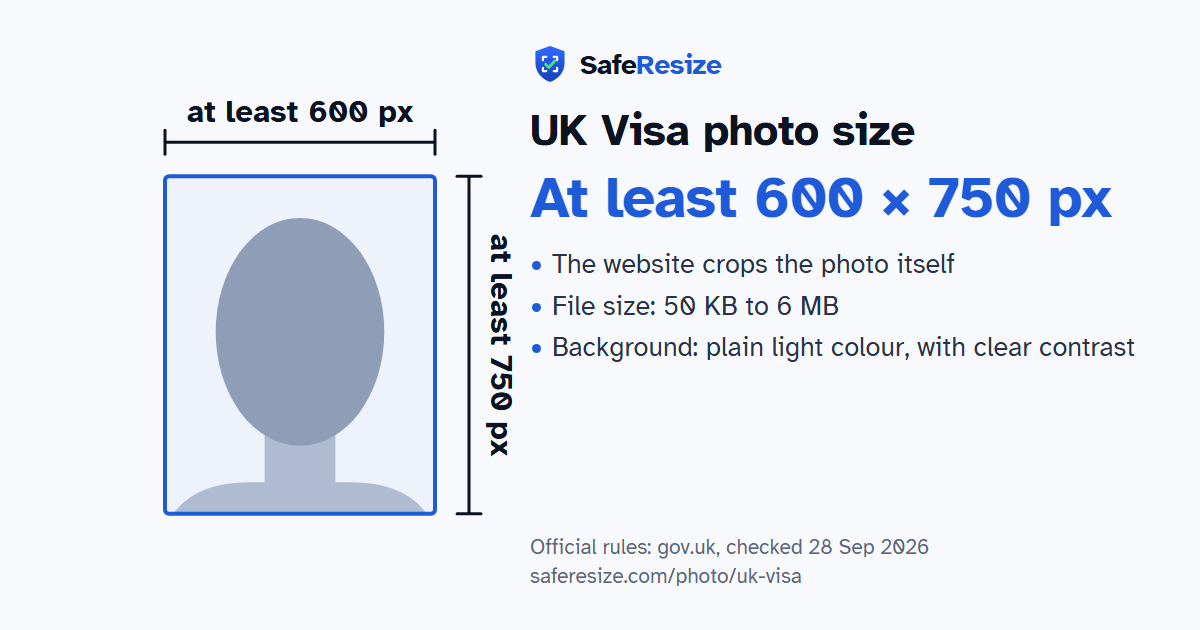
Official rules: at least 600 × 750 px, not cropped, 50 KB to 6 MB, background: plain light colour, with clear contrast. Source: gov.uk, checked 28 Sep 2026.
Official rules: at least 600 × 750 px, not cropped, 50 KB to 6 MB, background: plain light colour, with clear contrast. Source: gov.uk, checked 28 Sep 2026.
The UK Visa photo is a digital photo of at least 600 × 750 pixels that the website crops itself, uploaded as a JPG or JPEG file from 50 KB to 6 MB.
| Printed size | No print size given |
|---|---|
| Pixels (official rule) | At least 600 × 750 pixels, portrait; no maximum stated |
| File size | 50 KB to 6 MB |
| Background | Plain light colour, with clear contrast |
| Head size | Set by the website when it crops your photo |
| Source | gov.uk |
| Checked | 28 Sep 2026 |
Whether you take this photo yourself depends on how UKVI checks your identity. A Standard Visitor books an appointment at a visa application centre, where fingerprints and a photo are taken and the passport is returned the same day. Students and skilled workers learn when they apply whether to do the same or to use the UK Immigration: ID Check app. The app reads only certain documents, such as biometric passports from the EU, Iceland, Liechtenstein, Norway or Switzerland, BNO passports and some expired BRPs. After scanning your face, it asks for a photo of yourself, and a successful applicant gets an eVisa, not a sticker.
GOV.UK's photo rules, first published in February 2026, also say where the picture must not come from. It cannot be the image already in your passport or identity card, a scan or photo of another photo, or a picture of the document itself. Mirroring, flipping, filters and other software changes are ruled out. Shoulders and torso must be clothed, the background must contrast clearly with you, and red eye is not allowed. A child appears alone, and the app never asks anyone aged 9 or younger to scan their face.
Sources, checked 22 Oct 2026: Take a photo of your face for a visa application or permission (GOV.UK), Using the UK Immigration: ID Check app (GOV.UK), Visit the UK as a Standard Visitor: apply (GOV.UK), Student visa: apply online (GOV.UK) and Skilled Worker visa: apply from outside the UK (GOV.UK).
Official pixel rule: At least 600 × 750 pixels, portrait; no maximum stated. The website crops the photo itself, so SafeResize keeps your whole photo and only makes sure it is big enough and within the file size.
The official rule is in pixels: At least 600 × 750 pixels, portrait; no maximum stated. It gives no size in inches or cm.
Between 50 KB and 6 MB. SafeResize checks the size before you download, and keeps it inside the limit whether the website counts 1 KB as 1,000 or 1,024 bytes.
Plain light colour, with clear contrast. Stand in front of a plain wall with no pattern, and face a window so there are no shadows behind you. The official rules do not allow edited photos, so SafeResize does not change the background for this document: a plain wall is the way.
No. The official website crops the photo itself. Keep your head, shoulders and upper body in the photo, with space around your head.
The official rules say: No glasses unless needed (never tinted).
The official rules say: You need this photo if you prove your identity with the UK Immigration: ID Check app, which reads only certain documents (not Indian, Pakistani, Bangladeshi or Nepali passports). Standard Visitors, and applicants who cannot use the app, have their photo taken at a visa application centre or, in the UK, a UKVCAS service point.
GOV.UK lists photos that cannot be used: a scan or photo of another photo, the same photo as in your passport or identity card, a picture of your identity document, and one that is mirrored, flipped or altered with a filter or software. It also says that having another person take your photo helps reduce the chance of it being rejected.
The ID Check app accepts only the documents GOV.UK lists, such as EU, EEA and Swiss biometric passports, BNO passports and expired BRPs where the route allows, and Indian, Pakistani, Bangladeshi and Nepali passports are not on that list. So, unless you hold such a BRP, you give your fingerprints and photo at a visa application centre appointment. For a Standard Visitor visa, GOV.UK says every applicant attends one.
GOV.UK says to take a photo of the child's face, with no one else in the picture, and babies must not hold toys or use dummies. For a child under one, photograph them from above as they lie on a plain light-coloured sheet; their eyes may be closed, and a hand supporting the head must stay out of the picture.
Must not be the same photo as in your passport or ID card. No scans or photos of a photo, and no photo of your ID. Not mirrored, flipped or filtered. Show head, shoulders and upper body. Neutral face, mouth closed. No glasses unless needed (never tinted). Someone else should take it.
JPG or JPEG. SafeResize saves a JPG (JPEG) file.
Yes. A photo taken at home is fine if it follows the rules above. It is easier if someone else takes it for you.
No. The photo is processed inside your browser and never leaves your phone or computer.
Please note: You need this photo if you prove your identity with the UK Immigration: ID Check app, which reads only certain documents (not Indian, Pakistani, Bangladeshi or Nepali passports). Standard Visitors, and applicants who cannot use the app, have their photo taken at a visa application centre or, in the UK, a UKVCAS service point.
Source: gov.uk, checked 28 Sep 2026. Rules can change, so confirm on the official page before you apply.