New Zealand Passport Photo Size: 3:4, 900–4500 × 1200–6000 Pixels, 250 KB to 5 MB
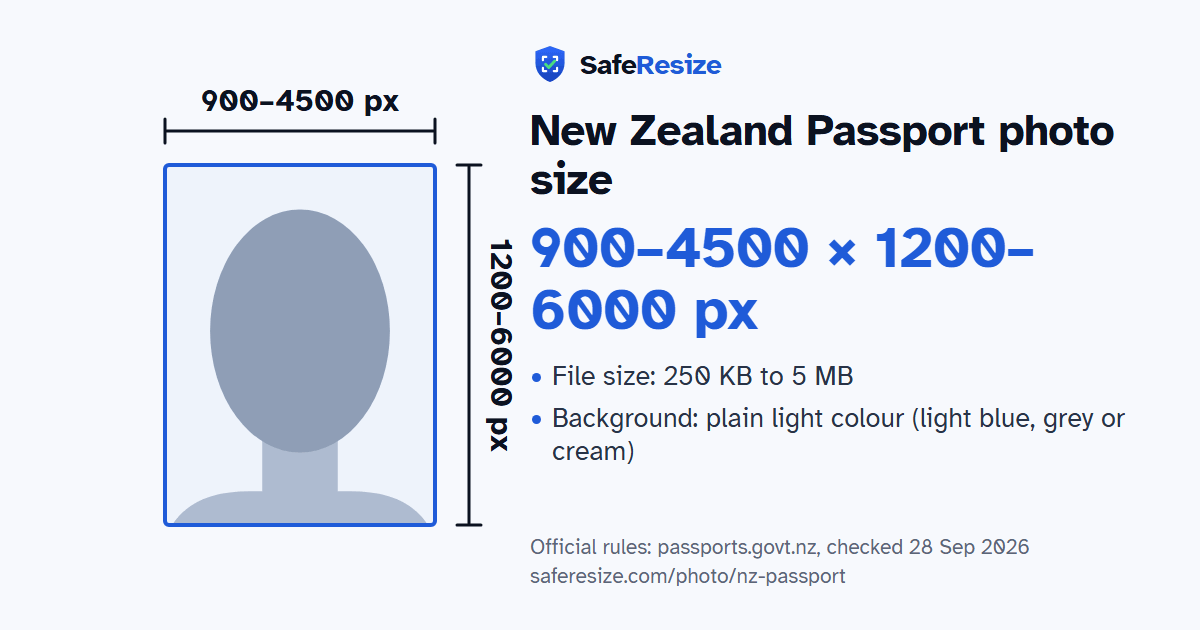
Official rules: 900 to 4500 px wide and 1200 to 6000 px high, 250 KB to 5 MB, background: plain light colour (light blue, grey or cream). Source: passports.govt.nz, checked 28 Sep 2026.
New Zealand Passport photo size at a glance
The New Zealand Passport photo is 900 to 4500 pixels wide and 1200 to 6000 pixels high, uploaded as a file from 250 KB to 5 MB.
Printed size
No print size given
Pixels (official rule)
Portrait 3:4, 900–4500 pixels wide and 1200–6000 pixels high
File size
250 KB to 5 MB
Background
Plain light colour (light blue, grey or cream)
Head size
60% to 75% of the photo height, chin to top of head (the official rules give none; this is a usual range for this shape of photo, not an official rule)
The New Zealand Passport photo, drawn to its shape: 900–4500 × 1200–6000 pixels. From the official rules (passports.govt.nz, checked 28 Sep 2026).
What the official pages say about the New Zealand Passport photo
For a New Zealand passport you can use a photo from Warehouse Stationery, a pharmacy that offers the service or a professional photographer, or take one with your own device. The photographer emails the file for an online application or prints it for a paper one. Scans of printed photos are not accepted. Selfies are rejected, so someone else takes the picture, standing 1.5 m away with the camera at your eye level, because photos taken too close distort the face.
Leave a clear gap around your head and include your shoulders and upper chest. Prescription glasses are allowed if they are not tinted or thick-framed, with a gap between your eyes and the frames and no glare. Head coverings are only for religious or medical reasons, with your face fully visible. Do not edit the photo, add filters or use AI tools. For a baby, lay them on a plain, light-coloured sheet and shoot from above, with their eyes open. The official online photo checker tests your file before you apply.
Stand about an arm's length from the camera in front of a plain wall (plain light colour (light blue, grey or cream)). Face a window for soft, even light.
Add the photo on this page. It stays on your device.
Drag and zoom until your face fills the green oval: top of the head on the top line, chin on the bottom line.
Download the photo. The pixels, file size and format are checked before you save it.
Upload it to the official application.
Questions and answers
What size is the New Zealand Passport photo?
Official pixel rule: Portrait 3:4, 900–4500 pixels wide and 1200–6000 pixels high. SafeResize makes a 1500 × 2000 pixel file that meets it.
What is the New Zealand Passport photo size in inches or cm?
The official rule is in pixels: Portrait 3:4, 900–4500 pixels wide and 1200–6000 pixels high. It gives no size in inches or cm.
What file size does the New Zealand Passport photo need to be?
Between 250 KB and 5 MB. SafeResize checks the size before you download, and keeps it inside the limit whether the website counts 1 KB as 1,000 or 1,024 bytes.
What background colour does the New Zealand Passport photo need?
Plain light colour (light blue, grey or cream). Stand in front of a plain wall with no pattern, and face a window so there are no shadows behind you. The official rules do not allow edited photos, so SafeResize does not change the background for this document: a plain wall is the way.
How big should my head be in the New Zealand Passport photo?
From the chin to the top of the head, your head should fill 60% to 75% of the photo height. The official rules do not state this, so we use a usual range for this shape of photo. The face guide in the tool shows both lines.
Can I wear glasses in my New Zealand Passport photo?
The official rules say: No tinted or thick-framed glasses.
What else do the New Zealand Passport photo rules say?
Colour, from the last 6 months, taken by someone else (no selfies). Head centred with space around it; part of shoulders and upper chest showing. Neutral expression, mouth closed. No tinted or thick-framed glasses. No filters or edits. No people, objects or dark shadows behind you. Try the official online photo checker.
Which file format should I use?
JPG or JPEG (no scans of printed photos). SafeResize saves a JPG (JPEG) file.
Can I take this photo at home?
Yes. A photo taken at home is fine if it follows the rules above. It is easier if someone else takes it for you.
Is my photo uploaded to SafeResize?
No. The photo is processed inside your browser and never leaves your phone or computer.
Source: passports.govt.nz, checked 28 Sep 2026. Rules can change, so confirm on the official page before you apply.
More tools for this photo
Check my filetest your file against these rules before you upload it