Australian Citizenship Photo Requirements: 1200 × 1600 Pixels Preferred, 70 KB to 3.5 MB
Official rules: 35 × 45 mm, 70 KB to 3.5 MB, background: neutral or light grey, contrasting with face. Source: immi.homeaffairs.gov.au, checked 5 Oct 2026.
Official rules: 35 × 45 mm, 70 KB to 3.5 MB, background: neutral or light grey, contrasting with face. Source: immi.homeaffairs.gov.au, checked 5 Oct 2026.
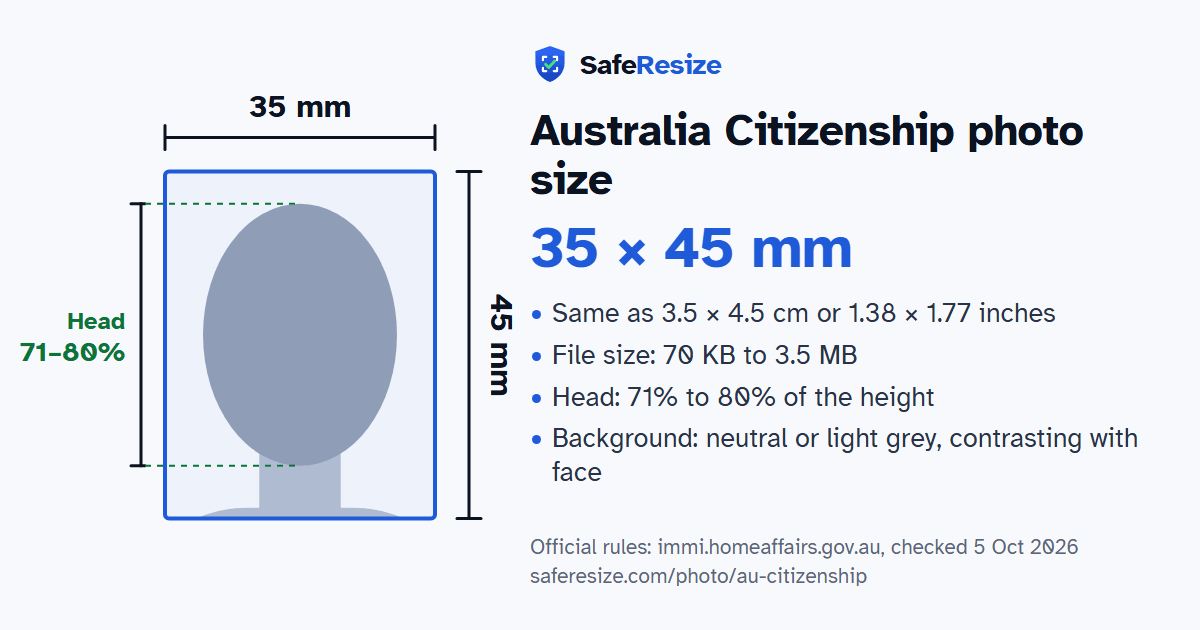
The Australia Citizenship photo is 35 × 45 mm, uploaded as a JPEG file from 70 KB to 3.5 MB.
| Printed size | 35 × 45 mm |
|---|---|
| In other units (a conversion) | 35 × 45 mm · 3.5 × 4.5 cm · 1.38 × 1.77 in · 413 × 531 px at 300 DPI · 827 × 1063 px at 600 DPI · ratio 7:9 |
| Pixels (official rule) | Preferred 1200 × 1600 pixels (portrait) |
| File size | 70 KB to 3.5 MB |
| Background | Neutral or light grey, contrasting with face |
| Head size | 71% to 80% of the photo height, chin to top of head |
| Source | immi.homeaffairs.gov.au |
| Checked | 5 Oct 2026 |
This photo is part of an Australian citizenship application, and Home Affairs uses it to confirm your identity. Online, you attach it in ImmiAccount under the document type "Photograph", as a JPEG of 70 KB to 3.5 MB, ideally 1200 × 1600 pixels. A scan of a photo, or a photo of a photo, is not acceptable. A paper application needs a print 35 to 40 mm wide and 45 to 50 mm high, with the face 32 to 36 mm from chin to crown.
The department recommends a professional passport photo provider, such as the Australian Post Office, and advises against online photo services and mobile apps: their images may fall short of its quality rules, and you could risk identity fraud. Do not edit the picture. Removing the background, moles, wrinkles, scars or red eye is not allowed. Take your glasses off, because poor eyesight alone is not a reason to keep them on. A plain religious head covering is fine if your whole face shows, including the outer corners of your eyes. Children under 3 may have an open mouth, but no toy or parent may be visible.
Sources, checked 5 Oct 2026: Photo requirements for citizenship applications (Home Affairs) and Attach documents to your application.
The photo is 35 × 45 mm. Official pixel rule: Preferred 1200 × 1600 pixels (portrait). SafeResize makes a 1200 × 1600 pixel file that meets it.
35 × 45 mm is 3.5 × 4.5 cm or 1.38 × 1.77 inches, in a 7:9 shape. Printed at 300 DPI it is 413 × 531 pixels, and at 600 DPI 827 × 1063 pixels. These are conversions of the official size, not extra rules.
Between 70 KB and 3.5 MB. SafeResize checks the size before you download, and keeps it inside the limit whether the website counts 1 KB as 1,000 or 1,024 bytes.
Neutral or light grey, contrasting with face. Stand in front of a plain wall with no pattern, and face a window so there are no shadows behind you. The official rules do not allow edited photos, so SafeResize does not change the background for this document: a plain wall is the way.
From the chin to the top of the head, your head should fill 71% to 80% of the photo height. The face guide in the tool shows both lines.
The official rules say: No glasses unless medically needed.
Under 6 months old, in colour, not edited (do not remove the background, moles or red-eye). No scans or photos of photos. No glasses unless medically needed. Neutral expression, eyes open, mouth closed. Avoid online photo services and apps. Paper photos: 35–40 × 45–50 mm, chin to top of head 32–36 mm.
JPEG. SafeResize saves a JPG (JPEG) file.
Yes. Photos you take yourself are allowed if they meet every rule above, but Home Affairs recommends a professional passport photo provider, such as the Australian Post Office, and does not recommend online passport photo services or mobile apps: their images may not meet its quality rules, and you may be in danger of identity fraud. SafeResize runs on your device and uploads nothing. It is easier if someone else takes it for you.
No. The photo is processed inside your browser and never leaves your phone or computer.
Source: immi.homeaffairs.gov.au, checked 5 Oct 2026. Rules can change, so confirm on the official page before you apply.