Russia e-Visa Photo Size: A 35:45 Portrait JPEG, No Fixed Pixels
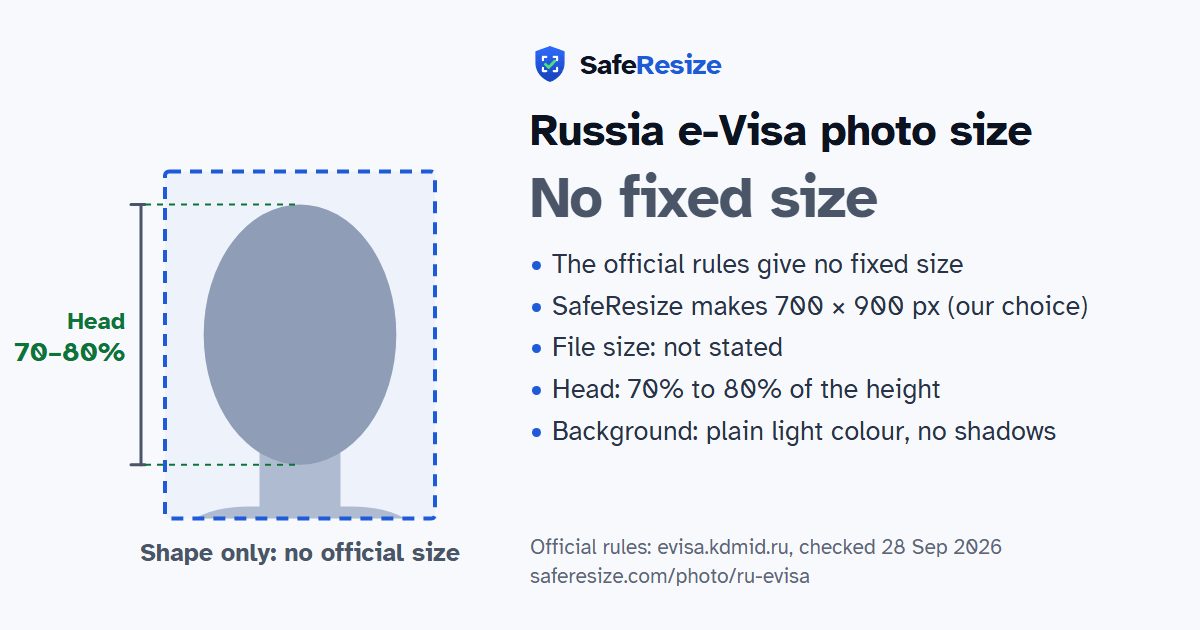
Official rules: no fixed size, background: plain light colour, no shadows. Source: evisa.kdmid.ru, checked 28 Sep 2026.
Official rules: no fixed size, background: plain light colour, no shadows. Source: evisa.kdmid.ru, checked 28 Sep 2026.
The Russia e-Visa photo has no fixed size in the official rules; it is uploaded as a JPEG file.
| Printed size | No print size given |
|---|---|
| Pixels (official rule) | Not stated; rectangle in 35:45 shape, no frames |
| File size | Not stated in the official rules |
| Background | Plain light colour, no shadows |
| Head size | 70% to 80% of the photo height, chin to top of head |
| Source | evisa.kdmid.ru |
| Checked | 28 Sep 2026 |
Russia's unified e-Visa is a single-entry visa for citizens of the countries on the government's list, for private, business or tourist visits and for scientific, cultural, socio-political, economic or sporting events. It is valid for 120 days, allows a stay of up to 30 days, and works only at listed border crossing points. You apply from a personal account on the Foreign Ministry's website or in its mobile app, between 86 and 4 days before entry, and processing takes at most 4 calendar days.
Besides a JPEG of the passport data page, you upload a JPEG of your face taken in the last six months. It must be a 35:45 rectangle without a frame, with the head centred, the face filling 70 to 80%, and the top of your shoulders showing. Use even light and a plain, light background, and keep foreign objects such as a chair back out of the shot. Glasses need untinted lenses with no flash reflection, and lighter frames are preferred. A head covering is allowed only on religious grounds, with the face visible from chin to forehead. Each minor child needs a separate application.
Sources, checked 22 Oct 2026: Processing of an e-visa (Consular Department, Ministry of Foreign Affairs of Russia) and Instruction (Consular Department, Ministry of Foreign Affairs of Russia).
The official rules do not fix a pixel size. SafeResize makes a sharp 700 × 900 pixel file that fits every other rule.
The official rules give no size in cm or inches, and on pixels they say: not stated; rectangle in 35:45 shape, no frames. SafeResize makes a 700 × 900 pixel photo in the 7:9 shape of a 35 × 45 mm passport photo, our own choice that fits the other rules.
The official rules do not state a file size. SafeResize shows the size of your file before you download it, so you can compare it with what the application screen asks for.
Plain light colour, no shadows. Stand in front of a plain wall with no pattern, and face a window so there are no shadows behind you. If your wall is not plain enough, the photo maker on this page can make the background white with an AI that runs on your device. Check the edges around your hair afterwards.
From the chin to the top of the head, your head should fill 70% to 80% of the photo height. The face guide in the tool shows both lines.
The official rules say: No tinted lenses, glare or frames over the eyes.
Yes. India is on the e-Visa website's list of eligible countries, while Pakistan, Bangladesh, Nepal and Sri Lanka are not. Your passport must be machine-readable, issued by your country of nationality and valid for at least 6 months from the date you apply.
Its status changes to "Correction required", with comments on the fields to fix. You have 10 days to correct and resubmit it, with no extra payment; after that, a refusal is sent and the fee is not refunded.
Yes. Each minor child needs a separate e-Visa application, even one listed in a parent's passport, and every application includes a face photo. Children under 6 pay no consular fee.
Taken within 6 months. Full face, head straight and centred, neutral expression, mouth closed, eyes open, top of head and shoulders visible. Neutral colours. No tinted lenses, glare or frames over the eyes. Religious head covering OK if chin to forehead shows. You also need a JPEG of your passport's photo page.
JPEG. SafeResize saves a JPG (JPEG) file.
Yes. A photo taken at home is fine if it follows the rules above. It is easier if someone else takes it for you.
No. The photo is processed inside your browser and never leaves your phone or computer.
Source: evisa.kdmid.ru, checked 28 Sep 2026. Rules can change, so confirm on the official page before you apply.