K-ETA Photo Requirements (South Korea): JPG Up to 20 MB, Face About 75%
Official rules: no fixed size, up to 20 MB, background: not stated officially. Source: k-eta.go.kr, checked 28 Sep 2026.
Official rules: no fixed size, up to 20 MB, background: not stated officially. Source: k-eta.go.kr, checked 28 Sep 2026.
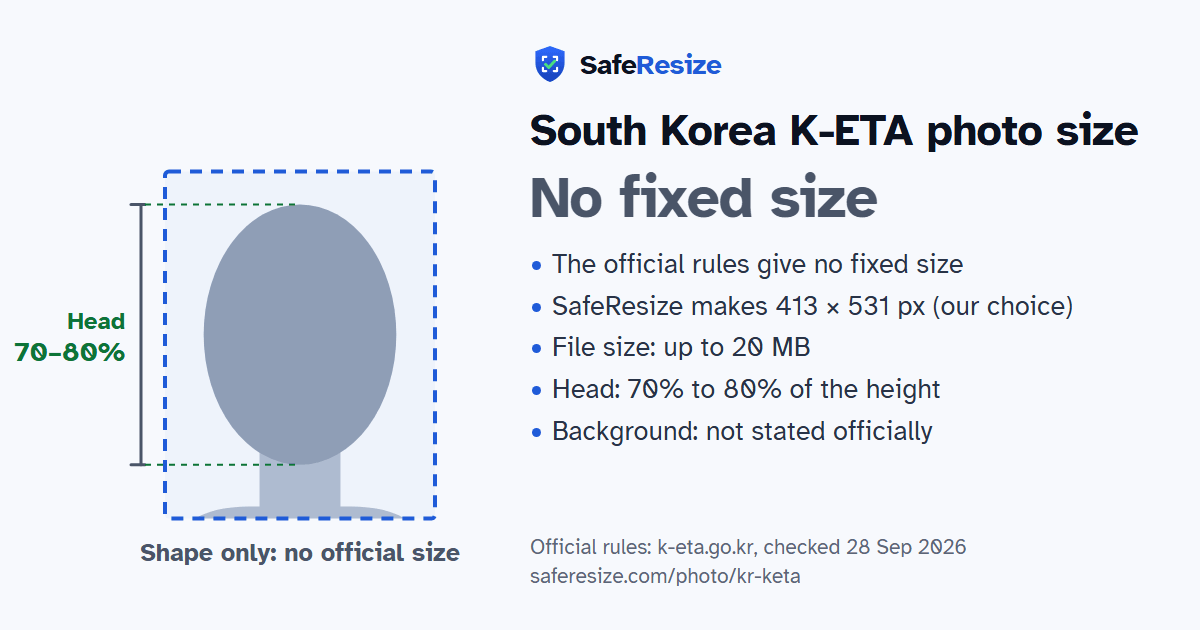
The South Korea K-ETA photo has no fixed size in the official rules; it is uploaded as a JPG file up to 20 MB.
| Printed size | No print size given |
|---|---|
| Pixels (official rule) | Not stated |
| File size | Up to 20 MB |
| Background | Not stated officially |
| Head size | 70% to 80% of the photo height, chin to top of head |
| Source | k-eta.go.kr |
| Checked | 28 Sep 2026 |
The K-ETA is an online travel authorisation for nationals of Korea's visa waiver and visa-free countries, needed before boarding a flight or ship to Korea for tourism, family visits, events, meetings or business without paid work. It costs 10,000 won, is not refunded if refused, and the assessment usually takes 72 hours. Eligibility depends only on the nationality in your passport; where you live or a third country's visa makes no difference. Travellers aged 17 or under, or 65 or over, need none, and some nationalities are exempt until 31 December 2026.
On a computer you upload a photo file of your face, while the K-ETA app adjusts its size and capacity for you. The facial image and the passport bio page must each be a JPG under 20 MB. The portrait need not be your passport photo, but it must be in colour, full face from the front at about 75% of the image, with eyes open and looking at the camera. Leave off hats, scarves and sunglasses, and choose clothes with less colourful patterns. A religious covering such as a hijab is fine if the forehead to the chin shows clearly.
Sources, checked 22 Oct 2026: K-ETA FAQ (Korea Electronic Travel Authorization, Ministry of Justice), Eligible countries and applicants (K-ETA), K-ETA application guide and Notice on Extension of K-ETA Temporary Exemption (K-ETA, 23 Dec 2025).
The official rules do not fix a pixel size. SafeResize makes a sharp 413 × 531 pixel file that fits every other rule.
The official rules give no size in cm or inches, and on pixels they say: not stated. SafeResize makes a 413 × 531 pixel photo in the 7:9 shape of a 35 × 45 mm passport photo, our own choice that fits the other rules.
Up to 20 MB. SafeResize checks the size before you download, and keeps it inside the limit whether the website counts 1 KB as 1,000 or 1,024 bytes.
Not stated officially. Stand in front of a plain wall with no pattern, and face a window so there are no shadows behind you. If your wall is not plain enough, the photo maker on this page can make the background white with an AI that runs on your device. Check the edges around your hair afterwards.
From the chin to the top of the head, your head should fill 70% to 80% of the photo height. The face guide in the tool shows both lines.
The official rules say: No hats, scarves or sunglasses; less colourful clothes recommended.
The official rules say: The mobile app resizes photos automatically.
The K-ETA FAQ asks for a JPG of less than 20 MB, for both the face photo and the passport bio page. If you apply in the K-ETA mobile app, it adjusts the size and capacity automatically.
No. India, Pakistan, Bangladesh, Nepal and Sri Lanka are not on the K-ETA list of eligible countries, and the FAQ says eligibility depends only on the nationality in your passport, not on where you live or on another country's visa. When a K-ETA is denied, or the trip is for work or study, the FAQ says to get a visa from the nearest Korean embassy or consulate.
No K-ETA, and so no photo, is needed for visa-free travellers aged 17 or under on the day of entry. Someone who turns 18 on the day they arrive must have an approved K-ETA.
Colour, full face from the front, filling about 75% of the photo. Eyes open, looking at the camera. Can differ from your passport photo. No hats, scarves or sunglasses; less colourful clothes recommended. Religious coverings OK if forehead to chin shows. The mobile app resizes photos automatically.
JPG. SafeResize saves a JPG (JPEG) file.
Yes. A photo taken at home is fine if it follows the rules above. It is easier if someone else takes it for you.
No. The photo is processed inside your browser and never leaves your phone or computer.
Source: k-eta.go.kr, checked 28 Sep 2026. Rules can change, so confirm on the official page before you apply.